
Table of Contents
Android ExoPlayer :
Android ExoPlayer is used to play videos in the android app, in this tutorial we will see the integration.It’s an alternative to default media player provided by android.
Using ExoPlayer we can directly stream videos over HTTP, also can providing customization’s.
Because Exoplayer is a open source we can customize the code according to the requirement like we can add cache support to reduce data usage.
We can add playlists to the player and this supports multiple file formats also subtitles.Different other features like ad-insertion, live streaming are supported.
ExoPlayer is a best option to play videos in splash screen, dashboard and can also play in any screen in your app.
Exoplayer allows you to use part of the library rather than using the entire library to minimize apk size, just consider the library’s required for your purpose.
Android exoplayer video tutorial :
Go through the below video tutorial for detailed video player integration.
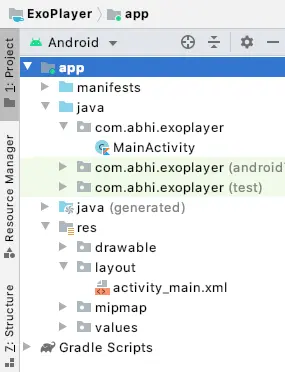
Project Structure :
This below image will depicts the project structure of exoplayer
Dependencies :
Add a exoplayer dependency to your build.gradle(:app)
implementation 'com.google.android.exoplayer:exoplayer:2.10.4'
activity_main.xml :
Add a exoplayer to layout file inside which there is a progress bar using which we will wait until the video is ready to be played.
<?xml version="1.0" encoding="utf-8"?>
<androidx.constraintlayout.widget.ConstraintLayout xmlns:android="https://schemas.android.com/apk/res/android"
    xmlns:app="https://schemas.android.com/apk/res-auto"
    xmlns:tools="https://schemas.android.com/tools"
    android:layout_width="match_parent"
    android:layout_height="match_parent"
    tools:context=".MainActivity">

    <com.google.android.exoplayer2.ui.PlayerView
        android:id="@+id/playerView"
        android:focusable="true"
        android:layout_width="match_parent"
        android:layout_height="match_parent">

        <ProgressBar
            android:id="@+id/progressBar"
            android:layout_width="wrap_content"
            android:layout_height="wrap_content"
            android:layout_gravity="center"
            android:visibility="gone"/>

    </com.google.android.exoplayer2.ui.PlayerView>
</androidx.constraintlayout.widget.ConstraintLayout>
MainActivity.kt :
Add required variables simpleExoPlayer and mediaDataSourceFactory
private lateinit var simpleExoPlayer: SimpleExoPlayer
private lateinit var mediaDataSourceFactory: DataSource.Factory
Now initialize simpleExoPlayer
simpleExoPlayer = ExoPlayerFactory.newSimpleInstance(this)
mediaDataSourceFactory = DefaultDataSourceFactory(this, Util.getUserAgent(this, "mediaPlayerSample"))
Declare the source of the video here we are providing video url
val mediaSource = ProgressiveMediaSource.Factory(mediaDataSourceFactory).createMediaSource(Uri.parse(STREAM_URL))
simpleExoPlayer.prepare(mediaSource, false, false)
simpleExoPlayer.playWhenReady = true

playerView.setShutterBackgroundColor(Color.TRANSPARENT)
playerView.player = simpleExoPlayer
playerView.requestFocus()
override methods for start, resume, stop and pause.
private fun releasePlayer() {
    simpleExoPlayer.release()
}

public override fun onStart() {
    super.onStart()

    if (Util.SDK_INT > 23) initializePlayer()
}

public override fun onResume() {
    super.onResume()

    if (Util.SDK_INT <= 23) initializePlayer()
}

public override fun onPause() {
    super.onPause()

    if (Util.SDK_INT <= 23) releasePlayer()
}

public override fun onStop() {
    super.onStop()

    if (Util.SDK_INT > 23) releasePlayer()
}
Provide the url of the video
companion object {
    const val STREAM_URL = "https://commondatastorage.googleapis.com/gtv-videos-bucket/sample/ElephantsDream.mp4"
}
FullCode :
Providing the full code for ExoPlayer implementation we can play video from network, local files.
package com.abhi.exoplayer

import android.graphics.Color
import android.net.Uri
import androidx.appcompat.app.AppCompatActivity
import android.os.Bundle
import com.google.android.exoplayer2.ExoPlayerFactory
import com.google.android.exoplayer2.SimpleExoPlayer
import com.google.android.exoplayer2.source.ProgressiveMediaSource
import com.google.android.exoplayer2.upstream.DataSource
import com.google.android.exoplayer2.upstream.DefaultDataSourceFactory
import com.google.android.exoplayer2.util.Util
import kotlinx.android.synthetic.main.activity_main.*

class MainActivity : AppCompatActivity() {

    private lateinit var simpleExoPlayer: SimpleExoPlayer
    private lateinit var mediaDataSourceFactory: DataSource.Factory


    override fun onCreate(savedInstanceState: Bundle?) {
        super.onCreate(savedInstanceState)
        setContentView(R.layout.activity_main)
    }


private fun initializePlayer() {

    simpleExoPlayer = ExoPlayerFactory.newSimpleInstance(this)

    mediaDataSourceFactory = DefaultDataSourceFactory(this, Util.getUserAgent(this, "mediaPlayerSample"))

    val mediaSource = ProgressiveMediaSource.Factory(mediaDataSourceFactory).createMediaSource(Uri.parse(STREAM_URL))

    simpleExoPlayer.prepare(mediaSource, false, false)
    simpleExoPlayer.playWhenReady = true

    playerView.setShutterBackgroundColor(Color.TRANSPARENT)
    playerView.player = simpleExoPlayer
    playerView.requestFocus()
}

private fun releasePlayer() {
    simpleExoPlayer.release()
}

public override fun onStart() {
    super.onStart()

    if (Util.SDK_INT > 23) initializePlayer()
}

public override fun onResume() {
    super.onResume()

    if (Util.SDK_INT <= 23) initializePlayer()
}

public override fun onPause() {
    super.onPause()

    if (Util.SDK_INT <= 23) releasePlayer()
}

public override fun onStop() {
    super.onStop()

    if (Util.SDK_INT > 23) releasePlayer()
}

companion object {
    const val STREAM_URL = "https://commondatastorage.googleapis.com/gtv-videos-bucket/sample/ElephantsDream.mp4"
}
}
Android exoplayer output :
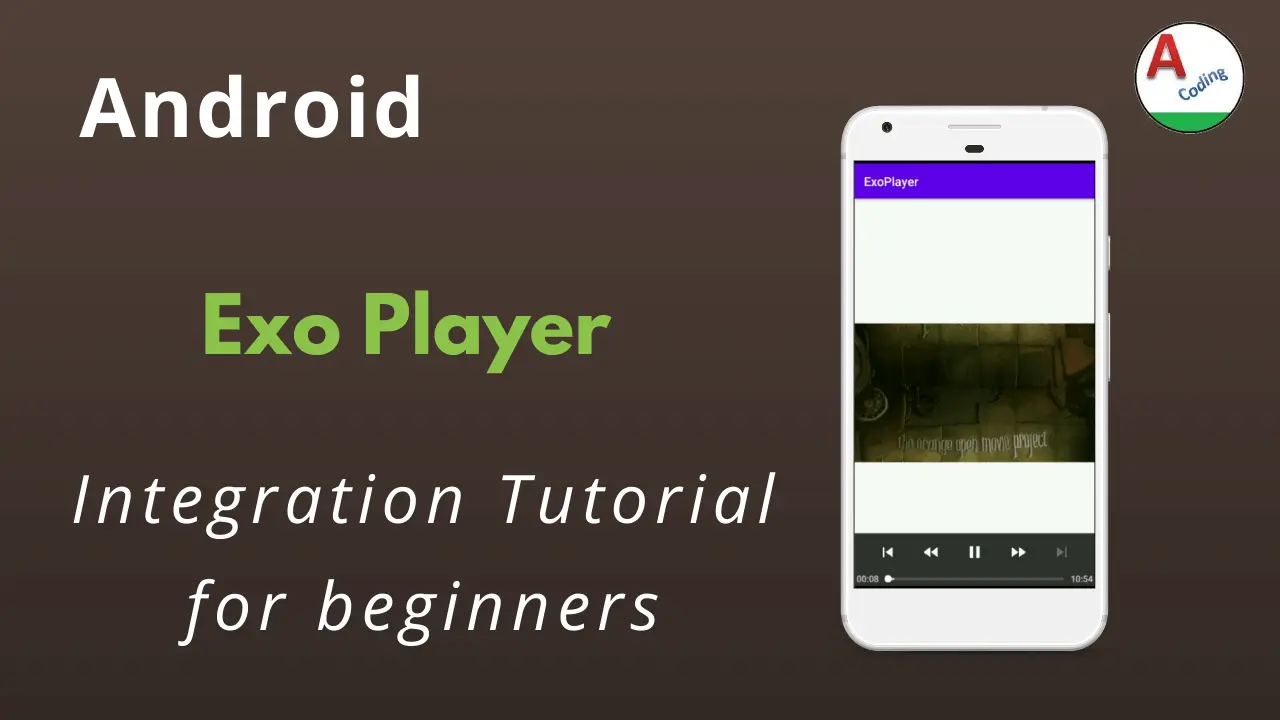
This screen depicts the usage of the android exoplayer integration

If you have any query’s in this tutorial on android exoplayer do let us know in the comment section below.If you like this tutorial do like and share us for more interesting updates.